Showing posts with label Internet. Show all posts

Saturday, September 17, 2016

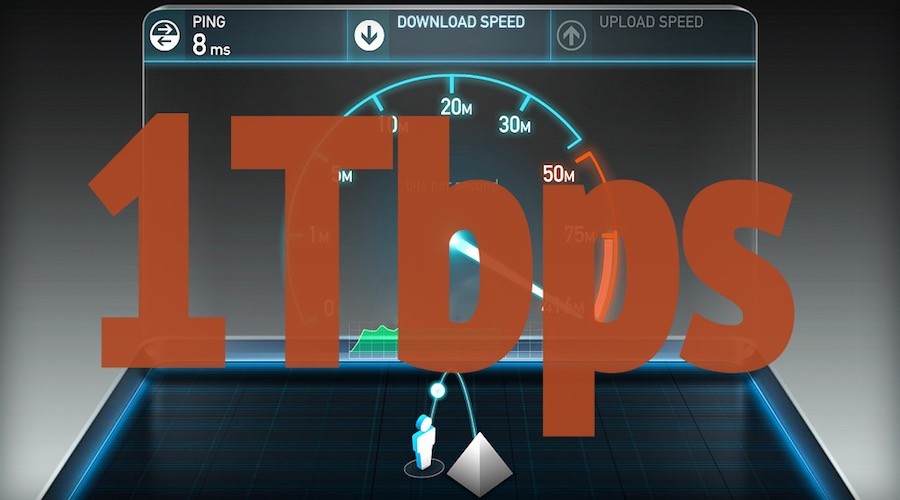
Nokia Reaches 1Tbps Data Transfer Speed, 1,000 Times Faster Than Google Fiber

1-terabits-per-second-data-transfer-speed-nokia-1

Short Bytes: Nokia has achieved 1 terabit/sec data transmission speeds in Germany. Its subsidiary, Nokia Bell Labs worked in collaboration with Deutsche Telekom and the Technical University of Munich and developed PCS (Probabilistic Constellation Shaping) to enhance network speeds.

Nokia may have departed from the mobile market but many of us are unaware of the true potential of the Finnish corporation. Nokia’s acquisition of Alcatel-Lucent last year also welcomed Bell Labs (now Nokia Bell Labs) to become a part of the Nokia family. Bell Labs was founded in 1925 by Alexander Graham Bell who invented the first working telephone.


Nokia Bell Labs, along with the Techincal University of Munich and Deutsche Telkom T-Labs, has been working on a network speed enhancement method. Known as Probabilistic Constellation Shaping (PCS), the technique, which won the Bell Labs Prize, can enable data transmission over a fiber connection at 1 terabit per second.

As of now, Google’s 1Gbps fiber network offers the best speeds to the home users but the new technology, if launched, will definitely raise the bar.

The research is a part of the SASER (Safe and Secure European Routing) project. During the experiments done over the Deutsche Telekom’s fiber network, a terabit/sec speed was observed which was almost close to the Shannon Limit – coined by Claude Shannon in 1945 – of the channel.
How did they get the terabit speed?

“The trial of the novel modulation approach, known as Probabilistic Constellation Shaping (PCS), uses quadrature amplitude modulation (QAM) formats to achieve higher transmission capacity over a given channel to significantly improve the spectral efficiency of optical communications,” reads a TUM blog post.

“PCS modifies the probability with which constellation points – the alphabet of the transmission – are used. Traditionally, all constellation points are used with the same frequency. PCS cleverly uses constellation points with high amplitude less frequently than those with lesser amplitude to transmit signals that, on average, are more resilient to noise and other impairments. This allows the transmission rate to be tailored to ideally fit the transmission channel, delivering up to 30 percent greater reach.”

Claims have been made about practically attaining the terabit speeds. ZDNet heard from a Nokia Networks spokesperson that a round trip speed of 1Tbps has been recorded between Stuttgart and Darmstadt cities in Germany.

The technology is yet to be released to the market. A fruitful application lies in boosting the core network infrastructure for FTTH connections to support the rising data needs due to increasing adoption of streaming and cloud services. The spokesperson said that the technology can be implemented in wireless networks at the current point in time.

On September 19, the collaborative research will be presented at the ECOC 2016 in Düsseldorf, Germany.

Saturday, July 16, 2016

Airtel Free Internet Tricks for Android Mobile Phones- 2G/ 3G/ 4G Gprs Data

Airtel free internet tricks for android mobile phones for free 2G/ 3G/ 4G data in July 2016:
Hello mrtricks users today i will share a premium airtel free 3G internet trick for android user through which you can use 250 mb 3G data everyday without any issue. You have tried many trick but they are failed to provide free internet but i have come with working trick. This trick is working in most of the states.

How to get free internet on Airtel ?

Airtel June 2016 3G Tricks

Requirements:
1. You have a Airtel 2G or 3G SIM.

2. Droid VPN App. Download from here

3. A android device with above app installed.


Condition for using this trick :
How to get free internet on Airtel :
• Open Droid App and Login with your account or register with an new account.
• Now a dialog box will appear, Click on I trust this application and click on Ok.
• Now Go to setting.
• After opening of setting then go to Connection Protocol.
• Now click on TCP .
• Now again go to back Setting.
• Now click on HTTP Header.
• Now enter below code and click on OK.
Host: one.airtel.in
X-Online-Host: one.airtel.in

• Now at home of Droid App, click on Big Connect button.
• It will active within 10 seconds.
Enjoy free unlimited 3g internet on your Airtel mobile. 

Sunday, April 3, 2016

1BTN: A Powerful, Open Source, And Hackable Button To "Control The Internet"


Gou might be knowing about Amazon’s Dash that re-reorders household supplies with just a click. While it has limited functionality, the open source 1btn is capable to things a whole lot more range of things.


It’s an open source Wi-Fi button that remains connected to the internet and help you execute your tasks by creating shortcuts. The device performs the assigned tasks, tells you the results with the help of its colorful LEDs and goes back to sleep.


This operates on an easy-to-use web-based interface. As soon as your turn on this device, it creates a Wi-Fi hotspot. All you need to do is connect a device to this hotspot, fire up a web browser, and direct it to 1btn’s inbuilt web server.

Using the internet, 1btn allows your to send an e-mail, tweet, text message and more. The device uses out-of-the-box service Twilio to perform many tasks. You can also set up URL-based actions like calling an Uber or controlled your home’s temperature.

If you are willing to use it for more complex projects, IFTTT and other APIs have got your covered.

Hacking made easier with open source 1btn


This device comprises of fully open source hardware and software. This allows you to hack and customize it according to your needs. Unlike other IoT buttons, 1btn doesn’t need any smartphone app.

Talking about the power, it has hs a rechargeable battery that can be used for up to 3 tasks. Instead of establishing a continuous Wi-Fi connection, it only turns on its radio when you press 1btn to perform some task.

Find more about 1btn here.