Showing posts with label Bug. Show all posts

Thursday, February 2, 2017

[Guida] Come risolvere l'errore Android 403 (Google Play Store)

Le nostre guide sulla risoluzione di errori Android continuano, questa volta con l'errore 403 che come già visto con gli errori 906, 907, 963 e 905 si presenta nel Google Play Store.

Continuate nella lettura della guida per scoprire come fixare l'errore 403


L'errore Android 403 si presenta quando due account sono sincronizzati contemporaneamente sullo stesso dispositivo Android e dopo aver effettuato un acquisto risulterà impossibile installare l'app.

La soluzione è molto semplice:

• Accedete al Play Store con l'account giusto.

• Disinstallate l'app problematica.

• Reinstallate/Comprate l'applicazione.

Perfetto, adesso il problema dovrebbe essere risolto!


Se la guida vi è stata utile commentate e condividete l'articolo.

Tuesday, January 31, 2017

[Guida] Come risolvere l'errore Android 905 (Google Play Store)

Gli errori più comuni legati ad Android sono inerenti al Google Play Store poiché è una delle applicazioni più utilizzate sul nostro terminale.

In questa breve guida vi mostreremo come risolvere l'errore Android 905.

L'errore Android 905 è legato al Play Store e all'impossibilità di scaricare applicazioni da esso.

la soluzione è molto banale e rapida.

Andate in Impostazioni>App>Google Play Store e selezionate l'opzione Disinstalla aggiornamenti attraverso i tre puntini in alto a destra.


Perfetto a questo punto l'errore dovrebbe essere risolto e non vi resterà altro che reinstallare gli aggiornamenti ed installare le app!

Se questa guida vi è stata utile fatecelo sapere nei commenti e condividete l'articolo!

Sunday, January 22, 2017

[Guida] Come risolvere l'errore processo com.android.systemui è stato arrestato


Questo è un fastidioso avviso che compare sugli smartphone Android (come Samsung Galaxy S4, S5, S6, S7, su LG G4, G5, G6, Xiaomi Redmi Note, Sony Xperia e tanti altri), qui potete trovare alcuni metodi per eliminare definitivamente questo popup che compare sul telefono. Vediamo come:


  • Andate su >questo< link, ovvero sull'applicazione "Google" e cliccate su "disinstalla". Successivamente per evitare che questo problema si ripresenti, sempre sul Play Store, andate in Impostazioni -> Aggiornamento automatico delle app e togliere la spunta su Aggiorna app automaticamente.
  • Se questo metodo non dovesse funzionare entrate nella recovery del telefono Volume in alto + Home + Power (Se il vostro cellulare non dovesse avere il tasto Home fisico, allora dovremo tenere premuto Volume in alto + Power). Scorrete con i tasti volume fino a Wipe cache partition e poi premete il tasto power per selezionarlo. Fatto ciò per riaccendere il telefono andate su "Reboot system now"
  • Se anche quest'ultimo metodo non dovesse funzionare, sempre da recovery, selezionate Wipe data / factory reset. Attenzione però questo metodo cancellerà i vostri dati, meglio fare un backup prima!

Wednesday, January 11, 2017

Nexus 6: bug audio con Android nougat 7.1.1, ecco come risolvere

Il nexus 6 dopo l'ultimo aggiornamento ad android 7.1.1 ha fatto tanto parlare sui suoi forum, il problema per molti utenti sarebbe un bug nella riproduzione di qualunque tipo di audio.
Un problema molto fastidioso, in quest'articolo troverete come poter risolvere il bug legato alla versione 7.1.1


L'audio è uno dei componenti fondamentali del nostro Smartphone, esso è indispensabile, ma cosa succede se a causa di un bug nel S.O. non dovesse più funzionare?
Lo sanno bene gli utenti di Nexus 6 che dopo l'aggiornamento ad Android 7.1.1 hanno riscontrato questo fastidiosissimo problema audio, che a quanto pare non permette il corretto funzionamento degli altoparlanti, nemmeno durante una telefonata.

Il device di Google ha subito un duro colpo, gli utenti si stanno scatenando sui forum e sono in cerca di una soluzione, alla quale sembra siano arrivati.

Essa consiste nel ritornare alla versione 7.0 di Android Nougat o di installare una ROM non ufficiale della versione 7.1.1 che non presenta questo bug.

Per fortuna non tutti i possessori di Nexus 6 hanno riscontrato tale problema, anzi, in molti ritengono che il device sia molto più fluido e performante di prima.

Speriamo che Google rilasci quanto prima una pach e che la situazione torni alla normalità.

Friday, July 22, 2016

UBER Payment Design Flaw Let User To Get Unlimited Uber Ride For Free Without Any Vouchers

Recent merger of Uber and paytm allow cab user to pay the uber taxi bill using the paytm wallet.With this merger,uber user can book taxi using paytm wallet but due to this flaw user don't even have to pay money.User can get unlimited uber ride for free only if user booked the cab through paytm wallet.


Follow the below steps to book the uber cab for free.


Requirement:


1 - Uber Application
2 - Two Paytm Account(eg: Two paytm account id,paytm1 and paytm2)
3 - Minimum Rs:500 in Paytm wallet


Steps

  1. Download and Install Uber Application
  2. Download and Install Paytm Application
  3. Recharge your paytm wallet with Rs:500.Minimum balance of Rs:500 is required in paytm wallet to book uber cab through paytm.
  4. Now Book the Uber Cab and select paytm as the payment option (Selected paytm account for payment is paytm1 )
  5. After booking the cab and start riding,transfer the paytm money from one paytm wallet to another paytm wallet(transfer money from paytm1 to paytm2)
  6. Here user booked the cab through paytm 1 and after started riding ,user transfered the money into paytm 2 account.so Paytm 1 account balance is Nil. uber is booked through user id paytm1 so uber can't able to deduct the money from account due to insufficient balance
  7. Done.Enjoy the free uber ride:)
This flaw is already reported by user to the uber team through hackerone bug bounty programme. Uber won't patched the flaw yet.Below is details of submission report:


In Reply to above flaw ,uber team words are attached below:


This loot will work on all Uber Services like Uber Taxi, Uber X, Uber Go, Uber Black and Uber SUV. You can earn upto unlimited uber credits using this trick. Get unlimited promo code less ride from uber without paying a single penny. So lets check this trick on details.

As par my knowledge, this is both a flaw in uber payment system with fraud.

Post your comment whether it is payment Design flaw Or Fraud

Monday, April 4, 2016

Microsoft Pays $13,000 to Hacker for Finding Authentication Flaw


A security researcher has won $13,000 bounty from Microsoft for finding a critical flaw in its main authentication system that could allow hackers to gain access to a user's Outlook, Azure and Office accounts.

The vulnerability has been uncovered by UK-based security consultant Jack Whitton and is similar to Microsoft's OAuth CSRF (Cross-Site Request Forgery) in Live.com discovered by Synack security researcher Wesley Wineberg.

However, the main and only difference between the vulnerabilities is that: Flaw discovered by Wineberg affected Microsoft's OAuth protection mechanism while the one discovered by Whitton affected Microsoft's main authentication system.

Microsoft handles authentication across its online services including Outlook, Azure and Office through requests made to login.live.com, login.windows.net, and login.microsoftonline.com.

Now, for example, if a user browses to outlook.office.com, he/she redirects to a login.microsoftonline.com URL that contains 'wreply' parameter for specifying which domain the user wants to access.

How Does the Vulnerability Work?


If the particular user is already logged in, a POST request is made back to the domain specified in wreply with a value containing a login token for the user. The service the user wants to authenticate on consumes that token and logs the user in.

Whitton discovered that the authentication URL is vulnerable to cross-site request forgery (CSRF) attacks, allowing a malicious actor to create a specially crafted URL, which, when accessed by an authenticated user, would send the login token to a server controlled by the attacker.

The legitimate URL looks like this:

https://login.microsoftonline.com/login.srf?wa=wsignin1.0&rpsnv=4&wreply=https%3a%2f%2foutlook.office.com%2fowa%2f&id=260563

And the attacker could set the redirect to this:

https%3a%2f%2foutlook.office.com%252f@poc-ssl.fin1te.net%2fmicrosoft%2f%3f

The expert found that this would cause the login token to be sent to the attacker’s website, which in this case is poc-ssl.fin1te.net. Using the token, the attacker could have gained complete access to the targeted user’s account.
"The token is only valid for the service that issued it – an Outlook token can not be used for Azure, for example," Whitton noted in his blog post. "But it would be simple enough to create multiple hidden iframes, each with the login URL set to a different service, and harvest tokens that way."
The good news is that Microsoft patched the vulnerability within two days after Whitton reported it to the company on January 24. The company also paid out $13,000 to the researcher as part of its bug bounty program.

Monday, March 21, 2016

iMessage Flaw Allows Hackers to Steal Photos from your iPhone/iPad


Flaw in Apple’s iMessage platform allows hackers to access photos and videos with ease

The Apple’s iMessage platform has a serious vulnerability which allows hackers to intercept and see your images and videos. The flaw was discovered by a group of researchers from Johns Hopkins University and affects all versions of iMessage prior to iOS 9. While, if you are using the latest iOS version you are safe enough, the researchers stated that, it wouldn’t take much for a determined hacker develop a modified version for newer OS.

In the research, which was released to The Washington Post, the team demonstrated that while they couldn’t decrypt the text in messages, they were able to intercept images, videos and other files. Professor Matthew D. Green and his team of graduate students mounted an attack to show that they could break the encryption that is meant to protect photos and videos sent on iMessage.

The exploit involves the creation of a software that emulates an Apple server which the hacker can use to intercept files. As the software is a clone of Apple server, hackers can gain full access to the encrypted transmission. In the demonstration by the Professor and his team, they targeted a link to a photo stored on Apple’s iCloud server, along with the 64-digit encryption key required to decrypt the photo.

While the students were unable to see the digits, they simply took to guessing the decryption code by a brute force technique that saw them repeatedly change a digit or a letter of the key before sending it back to the targeted phone. Whenever a correct digit was guessed, the iPhone accepted it.

The researchers said that while it could take humans hundreds of repeated attempts to guess the code, a machine could do it in seconds using brute force. With this key, the research team was able to retrieve the photo from Apple’s server.

Professor Green revealed that a modified version of the exploit would also work on later versions of iOS and warned that a determined hacker could crack the future versions using the same flaw. That said, the flaw in iOS 9.2 will be patched as Apple is releasing the iOS 9.3 today at “Loop you in” keynote.

It is recommended iOS users update to the latest version of iOS, as soon as possible.

Friday, January 29, 2016

Critical cross-site scripting (XSS) vulnerability allowed potential hackers to take over users’ Facebook accounts

Critical cross-site scripting (XSS) vulnerability allowed potential hackers to take over users’ Facebook accounts
The vulnerability was discovered by UK-based security consultant Jack Whitton who immediately informed Facebook. Facebook engineers quickly took cognizance of the critical flaw and patched it within six hours.He earned $7,500 for responsibly disclosing the issue, an amount confirmed by Facebook representatives.
“As these sort of issues become harder to find on sites which have a mature bug bounty programme (Facebook & Google), the rewards increase quite a lot, which means the payouts are really worth your time,” Whitton said via email.
Whitton has detailed the XSS flaw in his blog post and states that the attack consists of two vectors, content type and a DNS issue.
Whitton discovered that in some cases it’s possible to get an uploaded file to be interpreted as an HTML simply by changing its extension to .html. Thought the regular photo and video cant be modified, but Whitton found that advertising images uploaded through the Facebook Ads Manager could be modified.
Using a technique described in 2012, the expert managed to encode an XSS payload into a PNG image’s IDAT chunk. Unlike Exif and iTXt data, which are removed by Facebook from uploaded JPEG and PNG images, IDAT chunks are not. Once that was done, Whitton had to bypass the Link Shim system in Facebook and needed to find a way to move from the CDN hostname to a proper facebook.com domain.
He discovered that the DNS entries for the photo.facebook.com domain were pointing to the CDN, allowing him to get his payload executed by navigating to the uploaded HTML file on the photos.facebook.com domain.
Whitton found that several Facebook plugins are designed to be placed in an iframe, which bypasses such protections. Once this was done Whitton could easily steal user’s CSRF token and make requests on the victim’s behalf simply by getting the victim to click on a link.
“In this case, because it’s a client-side issue, an attacker would need to persuade a user to click/visit a link they control,” Whitton told Security Week. “This could be by posting a status with the link, or sending an email.”
“This is a bit easier than it sounds, because the URL is a legitimate facebook.com URL, rather than a suspicious domain. Once they’d clicked it, then the script in the background could do anything with their account – post a status, read private messages. In addition, the script could post a link to itself to the victim’s Facebook account, which could trick their friends into opening it, and so on,” he added.
Whitton told Security Week that Facebook quickly addressed the DNS issue, but left the content type weakness unpatched, most likely because it was a low risk flaw on its own.

Thursday, January 28, 2016

Bug in OpenSSL allows attackers to decrypt HTTPS traffic


Maintainers of the OpenSSL cryptographic code library have fixed a high-severity vulnerability that made it possible for attackers to obtain the key that decrypts communications secured in HTTPS and other transport layer security channels.
While the potential impact is high, the vulnerability can be exploited only when a variety of conditions are met. First, it's present only in OpenSSL version 1.0.2. Applications that rely on it must use groups based on the digital signature algorithm to generate ephemeral keys based on the Diffie Hellman key exchange. By default, servers that do this will reuse the same private Diffie-Hellman exponent for the life of the server process, and that makes them vulnerable to the key-recovery attack. DSA-based Diffie-Hellman configurations that rely on a static Diffie-Hellman ciphersuite are also susceptible.
Fortunately, the requirements don't appear to be met by many mainstream applications that rely on OpenSSL and use DSA-based Diffie-Hellman. The Apache Web server, for instance, turns on the SSL_OP_SINGLE_DH_USE option, which causes different private exponents to be used. The OpenSSL-derived BoringSSL code library, meanwhile, got rid of SSL_OP_SINGLE_DH_USE support a few months ago, and LibreSSL deprecated it earlier this week. The applications and libraries may still be vulnerable when using a static ciphersuite, however.
When the edge conditions are met, attackers can send a large number of handshake requests to a vulnerable server or end-user computer. When enough calculations are completed, the attacker can obtain partial secret values and combine the results with the Chinese remainder theorem to eventually deduce the decryption key. For a much more technical description of the vulnerability, which is indexed as CVE-2016-0701, see this blog post published Thursday by Antonio Sanso, the Adobe Systems researcher who discovered and privately reported it. OpenSSL officials have additional details here. Among other things, the OpenSSL advisory warns that the fix may compromise performance.

Also See: Alert:This Link Will Reboot Your iOS Device Within 30 Seconds

The time it took OpenSSL maintainers to fix the flaw is impressive. Sanso said he reported the bug on January 12. That means it took just over two weeks for the maintainers to complete and distribute a fix. Interestingly, when the researcher reported the vulnerability, the fix preventing the reuse of Diffie-Hellman exponents had already been committed, but it was not yet made available for release. The completion of the partial fix may have contributed to the speed of the patch release.

Remember Logjam?

Thursday's release also contained additional hardening against an HTTPS-crippling vulnerability that threatened tens of thousands of servers when it was first disclosed last May. Dubbed Logjam, it allowed attackers to downgrade Diffie-Hellman-generated encrypted connections to use extremely weak 512-bit key material. From there, attackers could use pre-computed data prepared ahead of time to deduce the key negotiated between the two parties.
OpenSSL will now reject all key negotiations with Diffie-Hellman parameters shorter than 1,024 bits. A previous OpenSSL patch had increased the limit to 768 bits.
People using OpenSSL version 1.0.2 should upgrade to 1.0.2f, while those still using version 1.0.1 should install 1.0.1r. Thursday's OpenSSL advisory also reminded users that support for version 1.0.1 will end at the end of this year, after which no security fixes will be available. Support for versions 0.9.8 and 1.0.0 ended in December.

Tuesday, January 26, 2016

Alert:This Link Will Reboot Your iOS Device Within 30 Seconds

Sending one link can cause anyone’s smartphone to crash

Prank website forces iPhones to reboot and will cause computers and Android devices to hang. This link is viral on social networking sites that can crash any smartphone, when you open the link in any browser.

Sending One Link Can Cause Anyone’s Smartphone to Crash

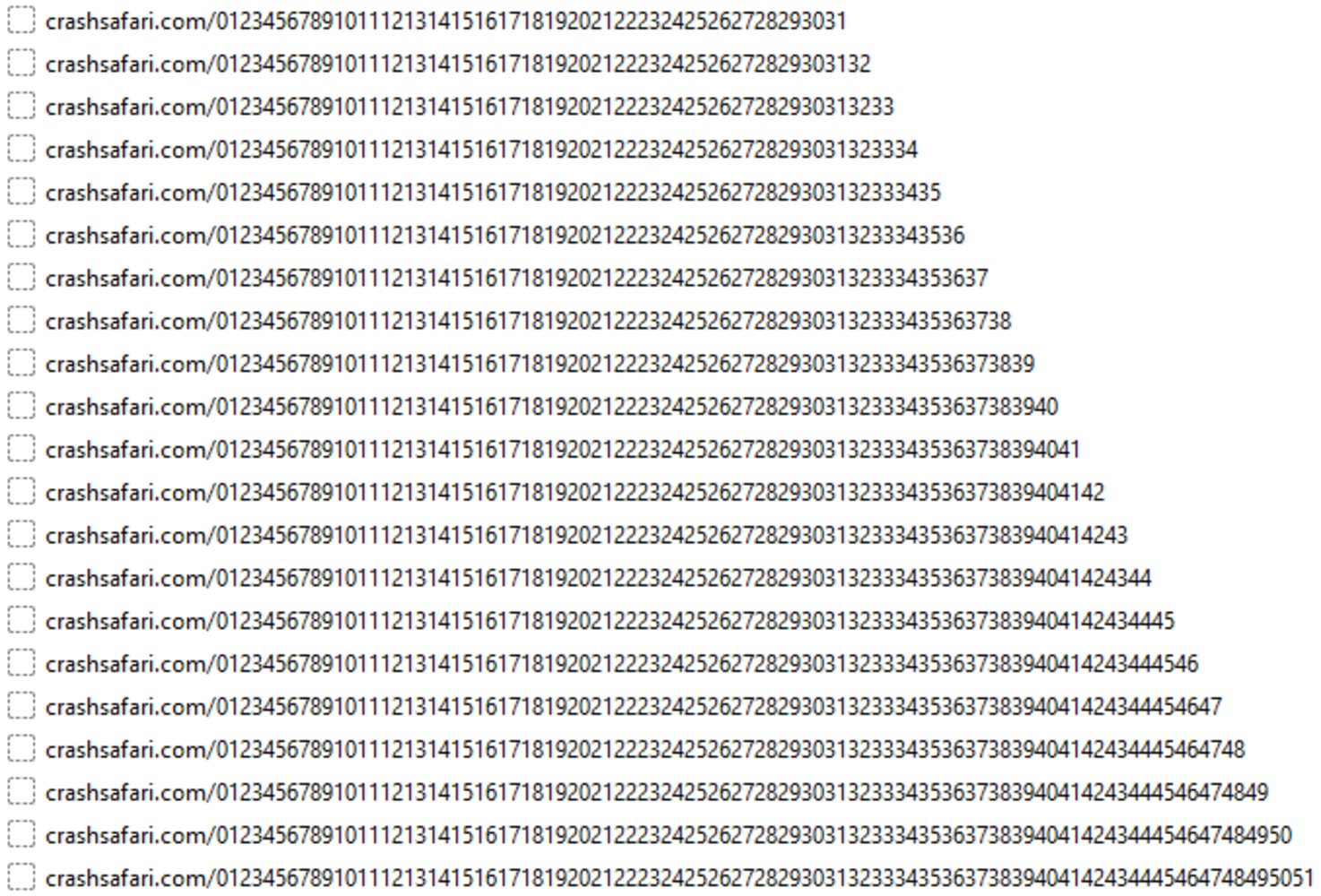
The website, crashsafari.com (and crashchrome.com — needless to say, don’t visit either), adds numbers to the address bar as fast as it can — crashsafari.com/0, then /01, then /012, /0123, and eventually /0123456789101112131415… and so on. Each time it adds a number, that page is saved to your history — and it adds up fast causing the iPhone/Android to handle such a huge request and crash.
This attack consists of four lines of code which forces the iPhone user to reboot and can cause Android Phone to crash. It is working on both chrome and safari browsers. It also works in some browsers including chrome on desktop. This website actually exhausts your RAM, thus resulting in browser crash. In iPhone, after 20 seconds it will forces the iPhone to reboot as it particularly heats the phone when the smartphone tries to hold the code of this website.

CrashSafari site's code is very simple and includes:
  • A Header Title that you will never actually see because the browser crashes.
  • A small piece of JavaScript that calls the HTML5 History API thousands of times in a loop, potentially causing Safari to freeze.
Social Networking Sites are abuzz with this website. Many users share its URL by shortening it like that http://goog.gl/hty7, if you are knowing crashsafari.com, you won’t visit it because it will cause your browser to crash but do shortened URL predict your browser cash? Obviously not. If post might be like this and it has shortened URL of crash website and the title displaying, “Get free stuff”, if you click on its link it will cause your browser to crash.
However, this crash or bug is not malicious, it crashes your browser or reboots your phone that can be easily restored, it is irritating to many users. The smartphone will work normally after crash. According to various sources, it reveals that this link has been shortened 1,00,000 times.
So this was all about Sending one link can cause anyone’s smartphone to crash. A single link can cause your browser to crash and forcing iPhone users to reboot their phone. Many people are using this URL to play pranks on their friends or to other users. We hope that you enjoyed this article, kindly feel free to share this with your friends.

Thursday, November 19, 2015

Mark Zuckerberg Quits His Job At Facebook, All Due To A Facebook Bug

facebook-mark-zuckerberg-leaves-quits-job-bug
Mark Zuckerberg Quits His Job At Facebook,Finding it hard to believe, check his Facebook post yourself: Mark Zuckerberg Quits His Job.
Okay, now that you’ve seen his post – and you are surprised and shocked, searching for some more proof on Google – let me tell you that it’s all due to a bug in Facebook. Yes, you’ve been misguided.
Well, this couldn’t be called a real bug as there is no technicality involved in this issue. However, an independent hacker Sachin Thakuri, outlining the same, has uncovered this flaw that is enough to fool people into believing some fake news.
So, how did he fake this Facebook post?
Here’s the original URL of Mark Zuckerberg’s original life event.
https://www.facebook.com/zuck/timeline/story?ut=32&wstart=-2051193600&wend=2147483647&hash=971179541251&pagefilter=3&ustart=1&__mref=message_bubble
If you see the URL carefully and remove the ustart=1 parameter, the work status of ustart=1 parameter.
Take a look at the changed and misguiding Facebook post without ustart=1parameter:
https://www.facebook.com/zuck/timeline/story?ut=32&wstart=-2051193600&wend=2147483647&hash=971179541251&pagefilter=3&&__mref=message_bubble
As I mentioned above, this isn’t a technical flaw, but this must be fixed as it could be easily used for notorious purposes. “…although on a client side the post is coming from a valid user and there is no way to figure out that the post has been manipulated and  has not been posted by a user,” Sachin writes.
He has reported the bug to the Facebook security team, but Facebook hasn’t fixed this yet.

Also See: