Wednesday, July 8, 2015

Hardest Game Ever 2 Cheats

1999 Cheats, All Stage Unlocked, Arcade Mode Unlocked.                                                                                                                                                             Hardest Game Ever 2 Cheats
Hardest Game Ever 2 Cheatsclick on the image to see more screenshot

UPDATED ON JULY 08, 2015

DESCRIPTION
 • Hardest Game Ever 2 game save file
 • 1999 Cheats
 • All Stage Unlocked
 • Arcade Mode Unlocked
 • You can update the game after applied this cheat
 • Only work for rooted devices
 • Must be extracted using ES Explorer

TESTED AND WORKS ON
  • Hardest Game Ever 2 v8.1
  • Cooper i7 phone and several devices.
  • Android 4.2.1 | 4.4.2 | 4.4.4

WARNING!!!
  • This will remove your current progress!
  • Backup your game data!

LET'S DO IT
  • Force stop game and clear data
  • Download game save file | at the bottom of this page
  • Extract to /data/data/ 
  • Run your game and enjoy

IMPORTANT!
  • How to force stop game and clear data
  • How to extract game save to /data/data/
  • How to get access to /data/data/
  • How to backup game data
  • How to check root on your device
  • How to find bestselling product  ads

Wednesday, July 1, 2015

4.2 Features (6) - Reading Plan progress synchronization and other enhancements

Setelah beberapa kali percobaan, kami akhirnya mempublikasikan fitur sync Rencana baca untuk Alkitab/Quick Bible v4.2 Beta 5.

Yang di sync adalah progres kemajuan. yaitu tanggal mulai, dan checkbox yang menunjukkan bagian mana saja yang sudah anda baca. Anda masih perlu mengunduh Rencana baca yang dipakai di segala perangkat anda yang ingin di-sync.

Sekarang anda juga bisa mengubah tanggal mulai Rencana baca semau anda. Ada pengguna yang meminta supaya ia bisa memulai rencana baca tidak dari awal (karena sebelumnya ia sudah melakukannya). Dengan perubahan ini, anda bisa mengatur kapan anda mulai, dan akan di-sync di perangkat anda yang lain.


Jika anda menghapus rencana baca yang sedang dipakai, checkmarks akan tetap disimpan di dalam perangkat. Jadi jika anda mengunduh rencana baca yang sama, anda tetap bisa melanjutkan kembali pembacaan dari hari yang terakhir dibaca. Jika checkmark otomatis dihapus, perangkat lain akan mengira anda dengan sengaja menghapusnya, namun mungkin anda ingin melanjutkan pembacaan.
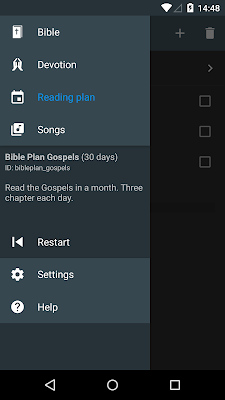
Jadi apabila anda memang ingin mengulang kembali pembacaan dari awal, anda bisa membuka menu drawer kiri rencana baca, dan pilih Restart.


Apakah mungkin terjadi konflik dalam sync Rencana baca? Ya, mungkin saja terjadi, untuk tanggal mulai, namun tidak untuk checkmarks. Jika anda mengubah tanggal mulai di 2 perangkat yang berbeda (sebelum sync dimulai), data akan ditumpuk, disesuaikan dengan yang paling terakhir disync. Untuk checkmarks, menurut penilaian kami, tidak mungkin terjadi konflik, jika itu berdasarkan revisi yang sama.

Apakah versi BETA itu? Bagaimana cara mengunduhnya?
Lihat di halaman ini untuk penjelasannya.


After some testing, we finally release the Reading plan progress sync in Alkitab/Quick Bible v4.2 Beta 5.

This do not synchronize the reading plan itself, only the progress, which is the starting date, and the checkmarks that indicate which readings you have done. You still need to download the reading plans on all your devices.

Now you can also change the starting date for a reading plan arbitrarily. Once a user asks whether he can start a year-length reading plan from the middle, not starting from Day 1, but starting on the middle as well. With this, you can manually set the starting date to be January 1, and you will start at Day Something according to the day of the year of that day. If you change the starting date, it will be synced to other devices as well.


If you delete a reading plan with some checkmarks, the checkmarks are now still stored in the device. So, the next time you add the same reading plan, you will get the checkmarks again. This is to facilitate syncing the reading plan progress. If the checkmarks were deleted when you delete a reading plan, other devices might receive it as clearing all the checkmarks for all readings of the reading plan, which is incorrect, because you may want to keep the reading plan on the other device. So how do you remove all the checkmarks, in case you want to repeat a reading plan? Open the left drawer, and select Restart. The changes will be synced too, so your other devices will get all checkmarks cleared for this particular reading plan.


Is it possible to have conflicts during sync? The answer is yes, for starting date, but no for the checkmarks. If you change the starting date of a reading plan on two devices separately (before any of them has the chance of syncing), you will get the starting date based on the device that syncs last. As for checkmarks, according to our experiments, you can't have conflicting state, if both devices are based on the same revision. Any time you remove a checkmark for a reading on one device, you can only have two possible operations on the other device, which are, not doing anything, or removing it too. Either way, you will get the checkmark removed after syncing. The same goes for adding. This will behave differently when you have two devices at a different revision. But hopefully this should be sufficient.

What is BETA version? And how to download it?
Take a look at this page for the answers.

Sunday, June 28, 2015

Zombie Hive Cheats

Unlimited Quantum Cube, Unlimited Super DNA, Drill Fully Upgraded.                                                                                                                                                                                                                                     Zombie Hive Cheats
Zombie Hive Cheatsclick on the image to see more screenshot

UPDATED ON JUNE 28, 2015

DESCRIPTION
 • Zombie Hive game save file
 • Unlimited Quantum Cube
 • Unlimited Super DNA
 • Drill Fully Upgraded
 • You can update the game after applied this cheat
 • Only work for rooted devices
 • Must be extracted using ES Explorer

TESTED AND WORKS ON
  • Zombie Hive v1.18
  • Cooper i7 phone and several devices.
  • Android 4.2.1 | 4.4.2 | 4.4.4

WARNING!!!
  • This will remove your current progress!
  • Backup your game data!

LET'S DO IT
  • Force stop game and clear data
  • Download game save file | at the bottom of this page
  • Extract using ES Explorer  to /data/data/ 
  • Run your game and enjoy

IMPORTANT!
  • How to force stop game and clear data
  • How to extract game save to /data/data/
  • How to get access to /data/data/
  • How to backup game data
  • How to check root on your device
  • How to find bestselling product  ads

Saturday, June 27, 2015

Sky Force 2014 v1.38 Cheat

Unlimited Stars, Shields, Guns, Missiles, Lasers, Mega-Bombs and Magnets Fully Upgraded.                                                                                                                                                                                                                                     Sky Force 2014 Cheats
Sky Force 2014 Cheatsclick on the image to see more screenshot

ONLY WORK FOR ROOTED DEVICES, GET ROOT!

DETAILS
 • Unlimited Stars
 • Shields, Guns, Missiles, Lasers, Mega-Bombs and Magnets Fully Upgraded
 • You can update the game after applied this cheat
 • Will work to newer version
 • Must be extracted using ES Explorer

TESTED AND WORKS ON
 • Android 4.4.4
 • Android 4.4.2
 • Android 4.2.1
 • Lollipop

WARNING!!!
 • This will remove your current progress!
 • Backup your game data!
 • Still Doubted...?, try on Bluestacks

LET'S DO IT
  • Force stop game and clear data
  • Download game save file | at the bottom of this page
  • Extract to /data/data/ 
  • Run your game and enjoy

HOW TO FORCE STOP GAME AND CLEAR DATA

HOW TO EXTRACT TO /data/data/ DRECTORY

IMPORTANT!
  • How to download game save file
  • How to to root your phones
  • How to get access to /data/data/
  • How to avoid fraud on AliExpress  ads
  • How to backup game data
  • How to check root on your device

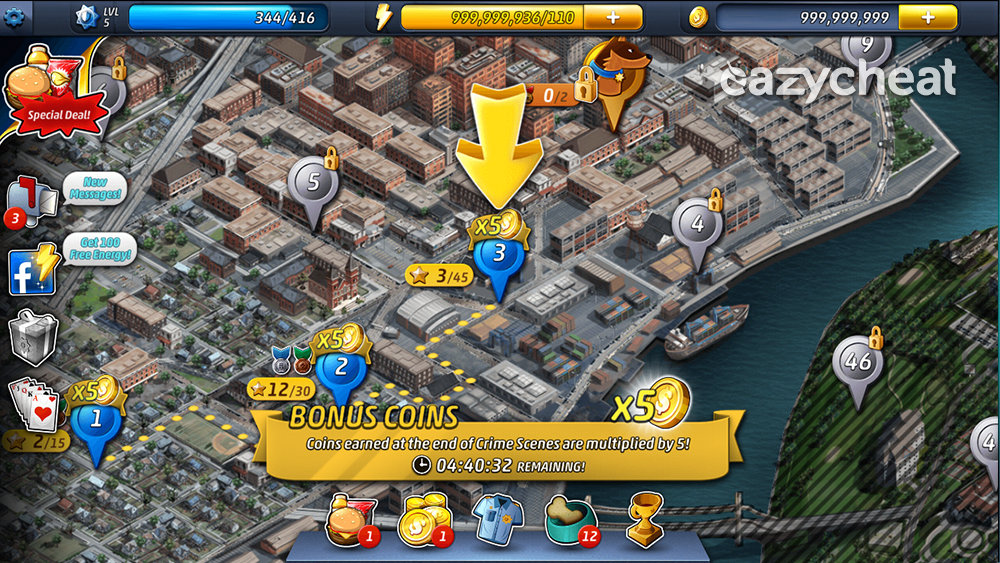
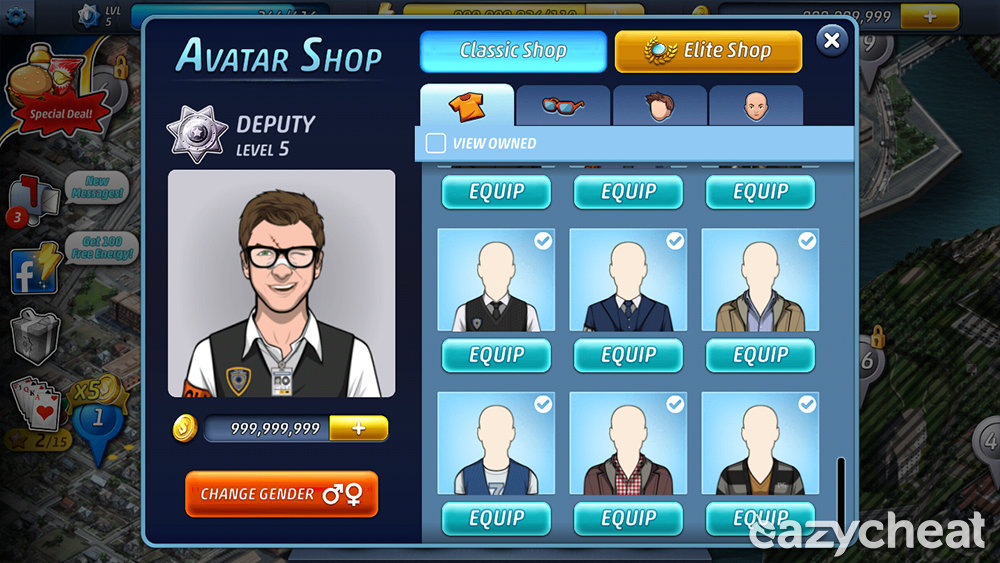
Criminal Case Cheats

Unlimited Energy, Unlimited Coins, All Pets Unlocked, All Classic Shop Item Unlocked                                                                                                                                                            Criminal Case Cheats
Criminal Case Cheats

UPDATED ON MARCH 28, 2016
ONLY WORK FOR ROOTED DEVICES, GET ROOT!

YOU WILL GET
 • Unlimited Energy
 • Unlimited Coins
 • All Pets Unlocked
 • All Classic Shop Item Unlocked

DESCRIPTION
 • Criminal Case v2.8.1 game save file
 • Will work to newer version
 • You can update the game after applied this cheat
 • Must be extracted using ES Explorer

TESTED AND WORKS ON
  • Android 4.4.4
  • Android 4.4.2
  • Android 4.2.1
  • May work on Lollipop

WARNING!!!
  • This will remove your current progress!
  • Backup your game data!
Go to /data/data/ find com.prettysimple.criminalcaseandroid folder and copy to your backup location
  • Not sure..., try on Bluestacks

LET'S DO IT
  • Force stop game and clear data
  • Download game save file | big button between the ads
  • Extract to  /data/data/ 
  • Run your game and enjoy!

IMPORTANT!
  • How to to root your phones
  • How to force stop game and clear data
  • How to extract game save to /data/data/
  • Must-Have phone accessories  ads
  • How to get access to /data/data/
  • How to backup game data
  • How to check root on your device

Thursday, June 25, 2015

4.2 Features (5) - Truly night mode

Biasanya, ketika anda memilih mode gelap, tampilan yang berubah hanya isi, sedangkan action bar/app bar di bagian atas dan bar belah tetap berwarna biru abu. Ini membuat mode gelap tidak begitu gelap. Sekarang, ketika anda memilih mode gelap, segala bagian dalam aplikasi berubah warna untuk mengikuti tampilan mode gelap, sehingga anda lebih nyaman membaca di ruangan gelap.

mode biasa
mode gelap


Apakah versi BETA itu? Bagaimana cara mengunduhnya?
Lihat di halaman ini untuk penjelasannya.


When you activate the night mode, the action bar (the bar on the top) and the split-version handle color is still the default blue grey color. This makes the night mode not-so-night mode. Now, when the night mode is on, the action bar color and split handle color will become almost black. So you can read more comfortably in a dark room.

normal mode
night mode

What is BETA version? And how to download it?
Take a look at this page for the answers.

4.2 Features (4) - Sharing URL

Ketika anda membagikan ayat (terutama melalui facebook), versi Alkitab yang akan ditampilkan mungkin berbeda dengan yang anda ingin bagikan. Contohnya, ketika anda membagikan ayat dari NIV, link yang diklik oleh orang lain melihat ayat yang anda bagikan mungkin akan menampilkan versi KJV atau yang lain. Alasannya, karena facebook hanya menerima direct link ketika membagikan sesuatu, dan link itu akan menuju ke halaman web yang menampilkan teks Alkitab. Ini menjadi masalah jika halaman web tersebut tidak menyediakan versi Alkitab yang sama seperti yang ingin anda bagikan.

Sekarang, ketika anda membagikan ayat, aplikasi ini akan membuat link otomatis untuk menampilkan versi Alkitab yang sesuai, karena teks-nya akan disimpan di dalam server kami. Jadi ketika anda menyalin dan membagi ayat, aplikasi ini otomatis menambahkan link untuk melihat ayat tersebut di halaman web.

Namun, jika anda ingin mematikan link tersebut, anda bisa ke penggunaan > Salin dan bagikan > matikan "link bagi ayat".

tampilan web link bagi ayat
opsi URL bagi ayat

URL ini berbeda setiap kali anda menyalin/membagi ayat. Bahkan jika pengguna lain menyalin dari ayat yang sama, link URL akan berbeda. Jika anda ingin tahu berapa kali ayat yang anda bagikan dilihat, anda bisa membuka halaman URL tersebut dan pilih menu "View Source" dari browser, dan bisa melihat jumlah "viewCount".

Apakah versi BETA itu? Bagaimana cara mengunduhnya?
Lihat di halaman ini untuk penjelasannya.


When you share verses (especially to facebook) the Bible version might be different than what you actually want to share. For example, if you share a verse from NIV, the link generated will redirect your friends to a verse in KJV or other versions. The reason for this is because facebook can only accept direct link when sharing, and the link will redirect to another website that provides web-based Bible reading text. But this could be a problem if the website doesn't provide the same Bible version as what you share.

Now, when you share verses, the app will generate a link for sharing that shows the verse in the exact same version you are currently viewing, because the actual verse text will be stored in our server.
So when you copy or share verses, it will automatically include the link to open it in web-browser. If you don't like this, you can go to Setting > Copying and sharing > disable the option "Share URL".

web-view when opening the shared verse
Share URL option

The URL is unique every time you copy or share. Even if a different user copies or shares the exact same verse, the URL will still be different. If you share a verse URL and you want to see about how many times your verse has been viewed, you can open the page and select the View Source menu on your browser, you can see a 'viewCount' message somewhere there.

What is BETA version? And how to download it?
Take a look at this page for the answers.