Thursday, December 18, 2014

MaterialColors

Material Design Colors

http://www.google.com/design/spec/style/color.html#color-color-palette


colors.xml

  1
2
3
4
5
6
7
8
9
10
11
12
13
14
15
16
17
18
19
20
21
22
23
24
25
26
27
28
29
30
31
32
33
34
35
36
37
38
39
40
41
42
43
44
45
46
47
48
49
50
51
52
53
54
55
56
57
58
59
60
61
62
63
64
65
66
67
68
69
70
71
72
73
74
75
76
77
78
79
80
81
82
83
84
85
86
87
88
89
90
91
92
93
94
95
96
97
98
99
100
101
102
103
104
105
106
107
108
109
110
111
112
113
114
115
116
117
118
119
120
121
122
123
124
125
126
127
128
129
130
131
132
133
134
135
136
137
138
139
140
141
142
143
144
145
146
147
148
149
150
151
152
153
154
155
156
157
158
159
160
161
162
163
164
165
166
167
168
169
170
171
172
173
174
175
176
177
178
179
180
181
182
183
184
185
186
187
188
189
190
191
192
193
194
195
196
197
198
199
200
201
202
203
204
205
206
207
208
209
210
211
212
213
214
215
216
217
218
219
220
221
222
223
224
225
226
227
228
229
230
231
232
233
234
235
236
237
238
239
240
241
242
243
244
245
246
247
248
249
250
251
252
253
254
255
256
257
258
259
260
261
262
263
264
265
266
267
268
269
270
271
272
273
274
275
276
277
278
279
280
281
282
283
284
285
286
287
288
289
290
291
292
293
294
295
296
297
298
299
300
301
302
303
304
305
306
307
308
309
310
311
312
313
314
315
316
317
318
319
320
321
322
323
324
325
326
327
328
329
330
331
332
333
334
335
336
337
338
339
340
341
342
343
344
345
346
347
348
349
350
351
352
353
354
355
356
357
358
359
360
361
362
363
364
365
366
367
368
369
370
371
372
373
374
375
376
377
378
379
380
381
382
383
384
385
386
387
388
389
390
391
392
393
394
395
396
397
398
<?xml version="1.0" encoding="utf-8"?>
<resources>
<color name="md_red_500_primary">#F44336</color>
<!-- light -->
<color name="md_red_50">#FFEBEE</color>
<color name="md_red_100">#FFCDD2</color>
<color name="md_red_200">#EF9A9A</color>
<color name="md_red_300">#E57373</color>
<color name="md_red_400">#EF5350</color>
<!-- dark -->
<color name="md_red_600">#E53935</color>
<color name="md_red_700">#D32F2F</color>
<color name="md_red_800">#C62828</color>
<color name="md_red_900">#B71C1C</color>

<!-- light -->
<color name="md_red_a100">#FF8A80</color>
<!-- dark -->
<color name="md_red_a200">#FF5252</color>
<color name="md_red_a400">#FF1744</color>
<color name="md_red_a700">#D50000</color>


<!-- PINK -->
<!-- dark -->
<color name="md_pink_500_primary">#E91E63</color>
<color name="md_pink_50">#FCE4EC</color>
<color name="md_pink_100">#F8BBD0</color>
<color name="md_pink_200">#F48FB1</color>
<color name="md_pink_300">#F06292</color>
<color name="md_pink_400">#EC407A</color>
<!-- dark -->
<color name="md_pink_600">#D81B60</color>
<color name="md_pink_700">#C2185B</color>
<color name="md_pink_800">#AD1457</color>
<color name="md_pink_900">#880E4F</color>

<!-- light -->
<color name="md_pink_A100">#FF80AB</color>
<!-- dark -->
<color name="md_pink_A200">#FF4081</color>
<color name="md_pink_A400">#F50057</color>
<color name="md_pink_A700">#C51162</color>


<!-- PURPLE -->
<!-- dark -->
<color name="md_purple_500_primary">#9C27B0</color>
<!-- light -->
<color name="md_purple_50">#F3E5F5</color>
<color name="md_purple_100">#E1BEE7</color>
<color name="md_purple_200">#CE93D8</color>
<!-- dark -->
<color name="md_purple_300">#BA68C8</color>
<color name="md_purple_400">#AB47BC</color>
<color name="md_purple_600">#8E24AA</color>
<color name="md_purple_700">#7B1FA2</color>
<color name="md_purple_800">#6A1B9A</color>
<color name="md_purple_900">#4A148C</color>

<!-- light -->
<color name="md_purple_A100">#EA80FC</color>
<!-- dark -->
<color name="md_purple_A200">#E040FB</color>
<color name="md_purple_A400">#D500F9</color>
<color name="md_purple_A700">#AA00FF</color>


<!-- DEEP PURPLE-->
<!-- dark -->
<color name="md_deep_purple_500_primary">#673AB7</color>
<!-- light -->
<color name="md_deep_purple_50">#EDE7F6</color>
<color name="md_deep_purple_100">#D1C4E9</color>
<color name="md_deep_purple_200">#B39DDB</color>
<!-- dark -->
<color name="md_deep_purple_300">#9575CD</color>
<color name="md_deep_purple_400">#7E57C2</color>
<color name="md_deep_purple_600">#5E35B1</color>
<color name="md_deep_purple_700">#512DA8</color>
<color name="md_deep_purple_800">#4527A0</color>
<color name="md_deep_purple_900">#311B92</color>

<!-- light -->
<color name="md_deep_purple_A100">#B388FF</color>
<!-- dark -->
<color name="md_deep_purple_A200">#7C4DFF</color>
<color name="md_deep_purple_A400">#651FFF</color>
<color name="md_deep_purple_A700">#6200EA</color>


<!-- INDIGO -->
<!-- dark -->
<color name="md_indigo_500_primary">#3F51B5</color>
<!-- light -->
<color name="md_indigo_50">#E8EAF6</color>
<color name="md_indigo_100">#C5CAE9</color>
<color name="md_indigo_200">#9FA8DA</color>
<!-- dark -->
<color name="md_indigo_300">#7986CB</color>
<color name="md_indigo_400">#5C6BC0</color>
<color name="md_indigo_600">#3949AB</color>
<color name="md_indigo_700">#303F9F</color>
<color name="md_indigo_800">#283593</color>
<color name="md_indigo_900">#1A237E</color>

<!-- light -->
<color name="md_indigo_A100">#8C9EFF</color>
<!-- dark -->
<color name="md_indigo_A200">#536DFE</color>
<color name="md_indigo_A400">#3D5AFE</color>
<color name="md_indigo_A700">#304FFE</color>


<!-- BLUE -->
<!-- dark -->
<color name="md_blue_500_primary">#2196F3</color>
<!-- light -->
<color name="md_blue_50">#E3F2FD</color>
<color name="md_blue_100">#BBDEFB</color>
<color name="md_blue_200">#90CAF9</color>
<color name="md_blue_300">#64B5F6</color>
<color name="md_blue_400">#42A5F5</color>
<!-- dark -->
<color name="md_blue_600">#1E88E5</color>
<color name="md_blue_700">#1976D2</color>
<color name="md_blue_800">#1565C0</color>
<color name="md_blue_900">#0D47A1</color>

<!-- dark -->
<color name="md_blue_A100">#82B1FF</color>
<!-- light -->
<color name="md_blue_A200">#448AFF</color>
<color name="md_blue_A400">#2979FF</color>
<color name="md_blue_A700">#2962FF</color>


<!-- LIGHT BLUE -->
<!-- dark -->
<color name="md_light_blue_500_primary">#03A9F4</color>
<!-- light -->
<color name="md_light_blue_50">#E1F5FE</color>
<color name="md_light_blue_100">#B3E5FC</color>
<color name="md_light_blue_200">#81D4FA</color>
<color name="md_light_blue_300">#4FC3F7</color>
<color name="md_light_blue_400">#29B6F6</color>
<!-- dark -->
<color name="md_light_blue_600">#039BE5</color>
<color name="md_light_blue_700">#0288D1</color>
<color name="md_light_blue_800">#0277BD</color>
<color name="md_light_blue_900">#01579B</color>

<!-- light -->
<color name="md_light_blue_A100">#80D8FF</color>
<color name="md_light_blue_A200">#40C4FF</color>
<color name="md_light_blue_A400">#00B0FF</color>
<!-- dark -->
<color name="md_light_blue_A700">#0091EA</color>


<!-- CYAN -->
<!-- dark -->
<color name="md_cyan_500_primary">#00BCD4</color>
<!-- light -->
<color name="md_cyan_50">#E0F7FA</color>
<color name="md_cyan_100">#B2EBF2</color>
<color name="md_cyan_200">#80DEEA</color>
<color name="md_cyan_300">#4DD0E1</color>
<color name="md_cyan_400">#26C6DA</color>
<!-- dark -->
<color name="md_cyan_600">#00ACC1</color>
<color name="md_cyan_700">#0097A7</color>
<color name="md_cyan_800">#00838F</color>
<color name="md_cyan_900">#006064</color>

<!-- light -->
<color name="md_cyan_A100">#84FFFF</color>
<color name="md_cyan_A200">#18FFFF</color>
<color name="md_cyan_A400">#00E5FF</color>
<color name="md_cyan_A700">#00B8D4</color>


<!-- TEAL -->
<!-- dark -->
<color name="md_teal_500_primary">#009688</color>
<!-- light -->
<color name="md_teal_50">#E0F2F1</color>
<color name="md_teal_100">#B2DFDB</color>
<color name="md_teal_200">#80CBC4</color>
<color name="md_teal_300">#4DB6AC</color>
<color name="md_teal_400">#26A69A</color>
<!-- dark -->
<color name="md_teal_600">#00897B</color>
<color name="md_teal_700">#00796B</color>
<color name="md_teal_800">#00695C</color>
<color name="md_teal_900">#004D40</color>

<!-- light -->
<color name="md_teal_A100">#A7FFEB</color>
<color name="md_teal_A200">#64FFDA</color>
<color name="md_teal_A400">#1DE9B6</color>
<color name="md_teal_A700">#00BFA5</color>

<!-- GREEN -->
<!-- dark -->
<color name="md_green_500_primary">#4CAF50</color>
<!-- light -->
<color name="md_green_50">#E8F5E9</color>
<color name="md_green_100">#C8E6C9</color>
<color name="md_green_200">#A5D6A7</color>
<color name="md_green_300">#81C784</color>
<color name="md_green_400">#66BB6A</color>
<!-- dark -->
<color name="md_green_600">#43A047</color>
<color name="md_green_700">#388E3C</color>
<color name="md_green_800">#2E7D32</color>
<color name="md_green_900">#1B5E20</color>

<!-- light -->
<color name="md_green_A100">#B9F6CA</color>
<color name="md_green_A200">#69F0AE</color>
<color name="md_green_A400">#00E676</color>
<color name="md_green_A700">#00C853</color>


<!-- LIGHT GREEN -->
<!-- dark -->
<color name="md_light_green_500_primary">#8BC34A</color>
<!-- light -->
<color name="md_light_green_50">#F1F8E9</color>
<color name="md_light_green_100">#DCEDC8</color>
<color name="md_light_green_200">#C5E1A5</color>
<color name="md_light_green_300">#AED581</color>
<color name="md_light_green_400">#9CCC65</color>
<color name="md_light_green_600">#7CB342</color>
<color name="md_light_green_700">#689F38</color>
<!-- dark -->
<color name="md_light_green_800">#558B2F</color>
<color name="md_light_green_900">#33691E</color>

<!-- light -->
<color name="md_light_green_A100">#CCFF90</color>
<color name="md_light_green_A200">#B2FF59</color>
<color name="md_light_green_A400">#76FF03</color>
<color name="md_light_green_A700">#64DD17</color>


<!-- LIME -->
<!-- light -->
<color name="md_lime_500_primary">#CDDC39</color>
<color name="md_lime_50">#F9FBE7</color>
<color name="md_lime_100">#F0F4C3</color>
<color name="md_lime_200">#E6EE9C</color>
<color name="md_lime_300">#DCE775</color>
<color name="md_lime_400">#D4E157</color>
<color name="md_lime_600">#C0CA33</color>
<color name="md_lime_700">#AFB42B</color>
<color name="md_lime_800">#9E9D24</color>
<!-- dark -->
<color name="md_lime_900">#827717</color>

<!-- light -->
<color name="md_lime_A100">#F4FF81</color>
<color name="md_lime_A200">#EEFF41</color>
<color name="md_lime_A400">#C6FF00</color>
<color name="md_lime_A700">#AEEA00</color>


<!-- YELLOW -->
<!-- light -->
<color name="md_yellow_500_primary">#FFEB3B</color>
<color name="md_yellow_50">#FFFDE7</color>
<color name="md_yellow_100">#FFF9C4</color>
<color name="md_yellow_200">#FFF59D</color>
<color name="md_yellow_300">#FFF176</color>
<color name="md_yellow_400">#FFEE58</color>
<color name="md_yellow_600">#F9A825</color>
<color name="md_yellow_700">#FBC02D</color>
<color name="md_yellow_800">#F9A825</color>
<color name="md_yellow_900">#F57F17</color>

<color name="md_yellow_A100">#FFFF8D</color>
<color name="md_yellow_A200">#FFFF00</color>
<color name="md_yellow_A400">#FFEA00</color>
<color name="md_yellow_A700">#FFD600</color>


<!-- Amber -->
<!-- light -->
<color name="md_amber_500_primary">#FFC107</color>
<color name="md_amber_50">#FFF8E1</color>
<color name="md_amber_100">#FFECB3</color>
<color name="md_amber_200">#FFE082</color>
<color name="md_amber_300">#FFD54F</color>
<color name="md_amber_400">#FFCA28</color>
<color name="md_amber_600">#FFB300</color>
<color name="md_amber_700">#FFA000</color>
<color name="md_amber_800">#FF8F00</color>
<color name="md_amber_900">#FF6F00</color>

<color name="md_amber_A100">#FFE57F</color>
<color name="md_amber_A200">#FFD740</color>
<color name="md_amber_A400">#FFC400</color>
<color name="md_amber_A700">#FFAB00</color>


<!-- ORANGE -->
<!-- light -->
<color name="md_orange_500_primary">#FF9800</color>
<color name="md_orange_50">#FFF3E0</color>
<color name="md_orange_100">#FFE0B2</color>
<color name="md_orange_200">#FFCC80</color>
<color name="md_orange_300">#FFB74D</color>
<color name="md_orange_400">#FFA726</color>
<color name="md_orange_600">#FB8C00</color>
<color name="md_orange_700">#F57C00</color>
<!-- dark -->
<color name="md_orange_800">#EF6C00</color>
<color name="md_orange_900">#E65100</color>

<!-- light -->
<color name="md_orange_A100">#FFD180</color>
<color name="md_orange_A200">#FFAB40</color>
<color name="md_orange_A400">#FF9100</color>
<color name="md_orange_A700">#FF6D00</color>


<!-- DEEP ORANGE-->
<!-- dark -->
<color name="md_deep_orange_500_primary">#FF5722</color>
<!-- light -->
<color name="md_deep_orange_50">#FBE9E7</color>
<color name="md_deep_orange_100">#FFCCBC</color>
<color name="md_deep_orange_200">#FFAB91</color>
<color name="md_deep_orange_300">#FF8A65</color>
<color name="md_deep_orange_400">#FF7043</color>
<!-- dark -->
<color name="md_deep_orange_600">#F4511E</color>
<color name="md_deep_orange_700">#E64A19</color>
<color name="md_deep_orange_800">#D84315</color>
<color name="md_deep_orange_900">#BF360C</color>

<color name="md_deep_orange_A100">#FF9E80</color>
<color name="md_deep_orange_A200">#FF6E40</color>
<!-- light -->
<color name="md_deep_orange_A400">#FF3D00</color>
<color name="md_deep_orange_A700">#DD2C00</color>


<!-- BROWN -->
<!-- dark -->
<color name="md_brown_500_primary">#795548</color>
<!-- light -->
<color name="md_brown_50">#EFEBE9</color>
<color name="md_brown_100">#D7CCC8</color>
<color name="md_brown_200">#BCAAA4</color>
<!-- dark -->
<color name="md_brown_300">#A1887F</color>
<color name="md_brown_400">#8D6E63</color>
<color name="md_brown_600">#6D4C41</color>
<color name="md_brown_700">#5D4037</color>
<color name="md_brown_800">#4E342E</color>
<color name="md_brown_900">#3E2723</color>

<!-- GREY -->
<!-- light -->
<color name="md_grey_500_primary">#9E9E9E</color>
<color name="md_grey_50">#FAFAFA</color>
<color name="md_grey_100">#F5F5F5</color>
<color name="md_grey_200">#EEEEEE</color>
<color name="md_grey_300">#E0E0E0</color>
<color name="md_grey_400">#BDBDBD</color>
<!-- dark -->
<color name="md_grey_600">#757575</color>
<color name="md_grey_700">#616161</color>
<color name="md_grey_800">#424242</color>
<color name="md_grey_900">#212121</color>


<!-- BLUE GRAY -->
<!-- dark -->
<color name="md_blue_grey_500_primary">#607D8B</color>
<!-- light -->
<color name="md_blue_grey_50">#ECEFF1</color>
<color name="md_blue_grey_100">#CFD8DC</color>
<color name="md_blue_grey_200">#B0BEC5</color>
<color name="md_blue_grey_300">#90A4AE</color>
<!-- dark -->
<color name="md_blue_grey_400">#78909C</color>
<color name="md_blue_grey_600">#546E7A</color>
<color name="md_blue_grey_700">#455A64</color>
<color name="md_blue_grey_800">#37474F</color>
<color name="md_blue_grey_900">#263238</color>

<color name="md_black">#000000</color>
<color name="md_white">#FFFFFF</color>

</resources>

Using Toolbar in android in LollyPop and Pre-Lollypop Devices - Part 2


1) toolbar.xml


<?xml version="1.0" encoding="utf-8"?>
<android.support.v7.widget.Toolbar xmlns:android="http://schemas.android.com/apk/res/android"
xmlns:app="http://schemas.android.com/apk/res-auto"
xmlns:tools="http://schemas.android.com/tools"
android:id="@+id/toolbar"
android:layout_width="match_parent"
android:layout_height="wrap_content"
android:background="@color/md_blue_500_primary"
android:minHeight="?attr/actionBarSize"
app:popupTheme="@style/ThemeOverlay.AppCompat.Light" >
</android.support.v7.widget.Toolbar>


2) activity_main.xml


<LinearLayout xmlns:android="http://schemas.android.com/apk/res/android"
xmlns:tools="http://schemas.android.com/tools"
android:layout_width="match_parent"
android:layout_height="match_parent"
android:orientation="vertical" >

<include
android:id="@+id/toolbar"
layout="@layout/toolbar" />

<EditText
android:id="@+id/editText1"
android:layout_width="match_parent"
android:layout_height="wrap_content"
android:ems="10"
android:hint="Enter Name"
android:inputType="textPersonName"
android:textColor="@color/md_black">
<requestFocus />
</EditText>

</LinearLayout>


3)  MainActivity.java


package com.pratap.materialdesign;

import android.graphics.Color;
import android.os.Bundle;
import android.support.v7.app.ActionBarActivity;
import android.support.v7.widget.Toolbar;
import android.view.Menu;
import android.view.MenuItem;

public class MainActivity extends AppCompatActivity {

private Toolbar toolbar;

@Override
protected void onCreate(Bundle savedInstanceState) {
super.onCreate(savedInstanceState);
setContentView(R.layout.activity_main);

toolbar = (Toolbar) findViewById(R.id.toolbar);

toolbar.setTitle("Material Design");
//toolbar.setSubtitle("AppCompat");
//toolbar.setTitleTextColor(Color.RED);

setSupportActionBar(toolbar);

}

@Override
public boolean onCreateOptionsMenu(Menu menu) {
// Inflate the menu; this adds items to the action bar if it is present.
getMenuInflater().inflate(R.menu.main, menu);
return true;
}

@Override
public boolean onOptionsItemSelected(MenuItem item) {
// Handle action bar item clicks here. The action bar will
// automatically handle clicks on the Home/Up button, so long
// as you specify a parent activity in AndroidManifest.xml.
int id = item.getItemId();
if (id == R.id.action_settings) {
return true;
}
return super.onOptionsItemSelected(item);
}
}


4) values/styles.xml

<resources>
    <!-- Base application theme using AppCompatv21 Library -->
<style name="AppBaseTheme" parent="Theme.AppCompat">

<!-- your app branding color for the app bar -->
<item name="colorPrimary">@color/md_blue_500_primary</item>

<!-- darker variant for the status bar and contextual app bars -->
<item name="colorPrimaryDark">@color/md_blue_700</item>

<!-- Change the Background color of the window in the activity -->
<item name="android:windowBackground">@color/md_white</item>
<!-- theme UI controls like checkboxes and text fields -->
<item name="colorAccent">@color/md_red_200</item>

<!-- Chnaging the toolbar text color -->
<!-- <item name="android:textColorPrimary">@color/md_red_500_primary</item> -->

<item name="android:windowNoTitle">true</item>
<item name="windowActionBar">false</item>
</style>

<!-- Application theme. -->
<style name="AppTheme" parent="AppBaseTheme"></style>

</resources>

5) values-21/styles.xml

<resources>

<style name="AppTheme" parent="AppBaseTheme">
<!-- API 21 theme customizations can go here. -->

<item name="android:navigationBarColor">@color/md_cyan_500_primary</item>
</style>

</resources>


6)  AndroidManifest.xml


<?xml version="1.0" encoding="utf-8"?>
<manifest xmlns:android="http://schemas.android.com/apk/res/android"
package="com.pratap.materialdesign"
android:versionCode="1"
android:versionName="1.0" >

<uses-sdk
android:minSdkVersion="8"
android:targetSdkVersion="21" />

<application
android:allowBackup="true"
android:icon="@drawable/ic_launcher"
android:label="@string/app_name"
android:theme="@style/AppTheme" >
<activity
android:name=".MainActivity"
android:label="@string/app_name" >
<intent-filter>
<action android:name="android.intent.action.MAIN" />

<category android:name="android.intent.category.LAUNCHER" />
</intent-filter>
</activity>
</application>

</manifest>


7) Build and Run the Code


ScreenShot:


Tuesday, December 16, 2014

Apply Material Design for LollyPop and Pre-Lolly Devices using AppCompat v7 Library -Part 1


Step 1:

Extend Your Activty Class with AppCompatActivity
MainActivity.java

 1
2
3
4
5
6
7
8
9
10
11
12
13
14
15
16
17
18
19
20
21
22
23
24
25
26
27
28
29
30
31
32
33
34
package com.pratap.materialdesign;

import android.support.v7.app.ActionBarActivity;
import android.os.Bundle;
import android.view.Menu;
import android.view.MenuItem;

public class MainActivity extends AppCompatActivity{

@Override
protected void onCreate(Bundle savedInstanceState) {
super.onCreate(savedInstanceState);
setContentView(R.layout.activity_main);
}

@Override
public boolean onCreateOptionsMenu(Menu menu) {
// Inflate the menu; this adds items to the action bar if it is present.
getMenuInflater().inflate(R.menu.main, menu);
return true;
}

@Override
public boolean onOptionsItemSelected(MenuItem item) {
// Handle action bar item clicks here. The action bar will
// automatically handle clicks on the Home/Up button, so long
// as you specify a parent activity in AndroidManifest.xml.
int id = item.getItemId();
if (id == R.id.action_settings) {
return true;
}
return super.onOptionsItemSelected(item);
}
}

Step 2:

Modify the theme in styles.xml file with AppCompat Theme in values folder

values/styles.xml

 1
2
3
4
5
6
7
8
9
10
11
12
13
14
15
16
17
18
19
<resources>

<!-- Base application theme using AppCompatv21 Library -->
<style name="AppBaseTheme" parent="Theme.AppCompat.Light.DarkActionBar">

<!-- your app branding color for the app bar -->
<item name="colorPrimary">@color/md_blue_500_primary</item>

<!-- darker variant for the status bar and contextual app bars -->
<item name="colorPrimaryDark">@color/md_blue_700</item>

<!-- theme UI controls like checkboxes and text fields -->
<item name="colorAccent">@color/md_red_200</item>
</style>

<!-- Application theme. -->
<style name="AppTheme" parent="AppBaseTheme"></style>

</resources>

Step 3:

Create a new folder named values-21 under res folder and create a styles.xml for specific to lollypop device.

values-21/styles.xml


1
2
3
4
5
6
7
<resources>

<style name="AppTheme" parent="AppBaseTheme">
<!-- API 21 theme customizations can go here. -->
</style>

</resources>


Step 4:

Update the AndroidManifest.xml file with Application theme.

AndroidManifest.xml


 1
2
3
4
5
6
7
8
9
10
11
12
13
14
15
16
17
18
19
20
21
22
23
24
25
26
27
<?xml version="1.0" encoding="utf-8"?>
<manifest xmlns:android="http://schemas.android.com/apk/res/android"
package="com.pratap.materialdesign"
android:versionCode="1"
android:versionName="1.0" >

<uses-sdk
android:minSdkVersion="8"
android:targetSdkVersion="21" />

<application
android:allowBackup="true"
android:icon="@drawable/ic_launcher"
android:label="@string/app_name"
android:theme="@style/AppTheme" >
<activity
android:name=".MainActivity"
android:label="@string/app_name" >
<intent-filter>
<action android:name="android.intent.action.MAIN" />

<category android:name="android.intent.category.LAUNCHER" />
</intent-filter>
</activity>
</application>

</manifest>


Step 5:

Run the application in device or Emulator


ScreenShots


Sunday, December 14, 2014

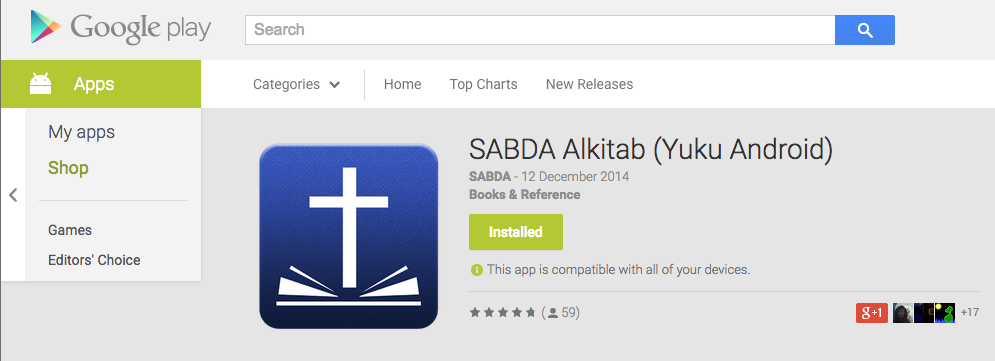
Aplikasi Alkitab KINI HADIR KEMBALI

Salam hangat,

Aplikasi Alkitab yang hilang kini sudah bisa diunduh kembali di Play store! Aplikasi kami secara resmi telah dipublikasikan melalui SABDA dengan nama "SABDA Alkitab (Yuku Android)". Silakan mengunduh aplikasi ini kembali, sebab aplikasi yang lama sudah tidak bisa menerima update yang baru dari kami.


Lalu bagaimana dengan data yang masih tersimpan di aplikasi yang lama?
Tenang, kami sudah memperkirakan itu dan membuat solusinya. Ketika anda pertama kali membuka aplikasi SABDA Alkitab (dan apabila anda sudah meng-install aplikasi yang lama), anda diberi pilihan apakah mau men-transfer data marka anda ke aplikasi yang baru. Program Alkitab yang lama (apabila anda tidak tahu) secara otomatis telah membuat cadangan marka. Jadi anda bisa memilih versi cadangan mana yang ingin anda transfer ke aplikasi yang baru.


Meskipun kami mendapat ujian/kesulitan, Tuhan memberi kami kekuatan melalui dukungan dari kalian semua. Terima kasih atas segala dukungannya, baik secara moral, doa, lisan/tulisan, ketika aplikasi Alkitab Yuku hilang dari Play store. Terima kasih untuk SABDA yang telah bersedia mempublish aplikasi ini kembali. Selain itu, kami menerima banyak support dari berbagai pihak yang tidak dapat kami sebutkan satu persatu. Semoga aplikasi ini dapat terus menjadi berkat bagi para penggunanya, kapanpun dan di manapun. Kiranya kemuliaan bagi nama Tuhan saja. Amin.

What is atomic clock?

 Have you wondered how time works?  What do you mean by 1 sec?  How the duration of 1 sec is decided?
All these questions will be answered when you understand the atomic clock. World time is based upon a reference and that reference is the atomic clock. 

What is atomic clock

An atomic clock is a clock device that uses an electronic transition frequency in the microwave, optical, or ultraviolet region of the electromagnetic spectrum of atoms as a frequency standard for its timekeeping element. i.e. locking an electronic oscillator to the frequency of an atomic transition. The transition is generally between hyperfine level which is a small shifts and splittings in the energy levels of atoms resulted from interaction between the magnetic moments associated with electron spin and the electrons' orbital angular momentum.

Elements used for atomic clock

1. Cesium-133
2. Rubidium-87

Cesium atomic clock

It employ a beam of cesium atoms. The clock separates cesium atoms of different energy levels by magnetic field.

Rubidium Atomic clock

It is the simplest and most compact of all, use a glass cell of rubidium gas that changes its absorption of light at the optical rubidium frequency when the surrounding microwave frequency is just right.

The most accurate atomic clocks available today use the cesium atom and the normal magnetic fields and detectors. In addition, the cesium atoms are stopped from zipping back and forth by laser beams, reducing small changes in frequency due to the Doppler effect.
Cesium is chosen for atomic clock because of the advantage of its atomic structure. It has lone electron in its outermost shell which has hyperfine structure because of nuclear spin. It needs microwave frequency(very small energy) to have a hyperfine level transition. The frequency needed for he transition is accurately determined in case of cesium and it is easily reproducible using frequency oscillator.

Because of high accuracy of atomic clock, the astronomical time base has been scraped and a new standard has been evolved. We define 1 second as

The second is the duration of 9,192,631,770 periods of the radiation corresponding to the transition between the two hyperfine levels of the ground state of the cesium 133 atom.
 i.e.  1 second = 9,192,631,779 cycles of standard Cs-133 transition

We can say that 9,192,631,779 Hz frequency is needed for Hyperfine level transition in standard Cs-133 atom. This frequency has been accurately determined and precisely reproduced.  

It has been claimed that the best atomic clock gives an uncertainty of 1 second in 30 million years.

New researches are being carried out which is claiming to be 100 times more accurate then the best atomic clock. A newly proposed clock that uses the orbit of a neutron around an atomic nucleus to keep time would be so accurate that it would only gain or lose 1/20th of a second every 14 billion years – or about the lifetime of the universe.


Wednesday, December 10, 2014

Creating Input Dialog Box with Xml Layout File


Creating Input Dialog Box with Xml Layout File


Call this Method in your Actvity


private void OpenCategroyDialogBox() {

LayoutInflater layoutInflater = LayoutInflater.from(this);
View promptView = layoutInflater.inflate(R.layout.addnewcategory, null);
final AlertDialog.Builder alert = new AlertDialog.Builder(this);
alert.setTitle("Add New Category");
alert.setView(promptView);

final EditText input = (EditText) promptView
.findViewById(R.id.etCategory);

input.requestFocus();
input.setHint("Enter Category");
input.setTextColor(Color.BLACK);

alert.setPositiveButton("OK", new DialogInterface.OnClickListener() {
public void onClick(DialogInterface dialog, int whichButton) {
String newCategoryName = input.getText().toString();

// Do something with value!

if (newCategoryName.equals("")) {
input.setError("Name Required");
OpenCategroyDialogBox();
} else {

Toast.makeText(getApplicationContext(),
"Ok Clicked", Toast.LENGTH_SHORT).show();


}
}

}

});

alert.setNegativeButton("CANCEL",
new DialogInterface.OnClickListener() {
public void onClick(DialogInterface dialog, int whichButton) {
// Canceled.
      Toast.makeText(getApplicationContext(),
"Ok Clicked", Toast.LENGTH_SHORT).show();
} }); // create an alert dialog AlertDialog alert1 = alert.create(); alert1.show(); }


addnewcategory.xml


<?xml version="1.0" encoding="utf-8"?>
<LinearLayout xmlns:android="http://schemas.android.com/apk/res/android"
android:layout_width="match_parent"
android:layout_height="match_parent"
android:orientation="vertical" >

<EditText
android:id="@+id/etCategory"
android:layout_width="match_parent"
android:layout_height="wrap_content"
android:ems="10"
android:layout_marginTop="20dp"
android:layout_marginLeft="24dp"
android:layout_marginRight="24dp"
android:layout_marginBottom="20dp"
android:inputType="textCapSentences" >

<requestFocus />
</EditText>

</LinearLayout>


ScreenShot


Zombies Ate My Friends Cheat

Zombies Ate My Friends Cheat - Unlimited cash, gold, energy and health.                                                     Zombies Ate My Friends Cheat
Zombies Ate My Friends Cheatclick on the image to see more screenshot

LAST UPDATED ON DECEMBER 10, 2014

OVERVIEW
 • Zombies Ate My Friends Cheat - Game save file with unlimited cash, gold, energy and health.
 • Why game save? - game save file is the easiest and safest cheat method, you can update the game after applied this cheat.

TESTED AND WORKS ON
  • Rooted Jiayu G5 phone
  • Zombies Ate My Friends v2.1.1
  • Android 4.2.1

WARNING!!!
  • This will remove your current progress!
  • Backup your game data!
  • Root access is required!

LET'S DO IT
  • FORCE STOP your Zombies Ate My Friends game
  • Download save game file
  • Extract to /data/data/ 
  • Overwrite existing files
  • Run your game and enjoy

IMPORTANT!
  • How to FORCE STOP current game
  • How to extract save game to /data/data directory
  • How To Get Read Write Access To System Directory
  • How to backup game data
  • How to check root access on your device